A BEBOB SOFTWARE BRAND · SINCE 2000 ✉ exapeak@naver.com Get in Touch →
Solutions / photoKam Radar - Photo Manager & Editor for Windows & macOS
SOLUTION · UTILITY

photoKam Radar - Photo Manager & Editor for Windows & macOS

Sweep, cull, and edit hundreds of thousands of photos fast — a Windows & macOS photo manager & editor with pro-grade RAW editing, AI skin retouch, and 35 presets.

🛒 Buy → Purchase & License 🛠️ Adoption & Custom Inquiry 📖 User guide (Korean) ↗

photoKam Radar — find, cull, and edit hundreds of thousands of photos on Windows & macOS

Your photos are scattered across external drives and folders. photoKam Radar quietly indexes them all — no folders to add. Find the shot you want in seconds, then finish it with pro-grade RAW editing and AI skin retouch, all in one app. Indexing and editing don't change your originals, and your photos are never uploaded.


Why photoKam Radar

Everything is indexed — no folders to add

It quietly indexes your computer and drives in the background. Plug in an external drive or create a new folder — there is nothing for you to do. Originals stay where they are; only the index lives on your computer.

Find any shot instantly

Filter by camera, lens, date, and folder, and jump to any point in time with the calendar. Pull out just that day's shots from a specific lens in seconds, even among hundreds of thousands.

Edit right where you culled

pro-grade RAW editing (curves, HSL, color grading, LUT), AI skin retouch, and 35 presets. Find, cull, and edit without hopping between apps.


Key features

Views & browsing

Grid, custom tiles, and list views let you sweep large libraries fast, while camera/lens/date/folder filters and calendar jump surface the shot you want. Supports RAW (CR2·CR3·ARW·NEF·DNG) and pairs RAW with JPG.

Large view

See the histogram, the in-focus area (on supported cameras), and overexposure (clipping) warnings together to pick keepers with confidence.

Editing & presets

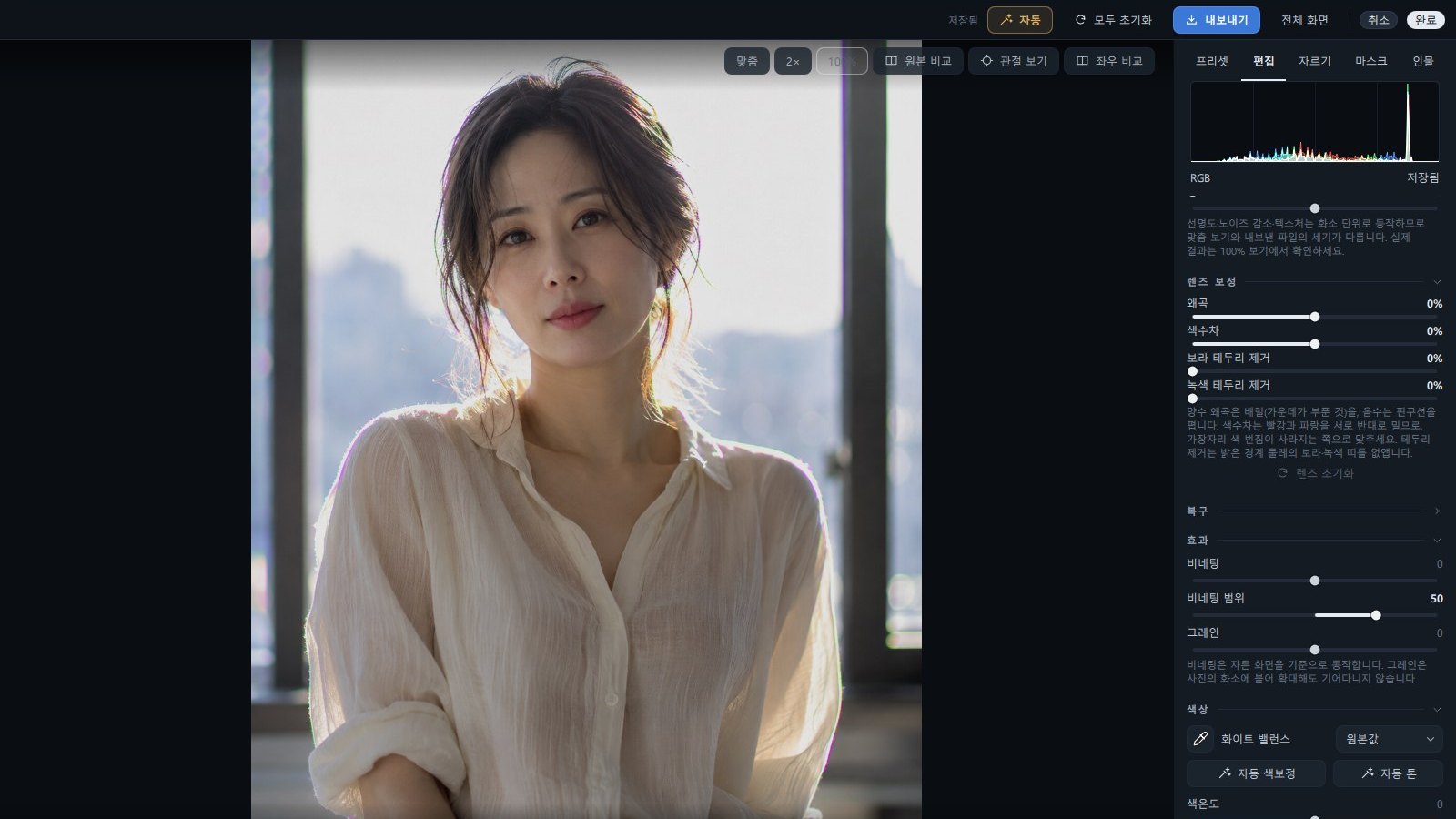
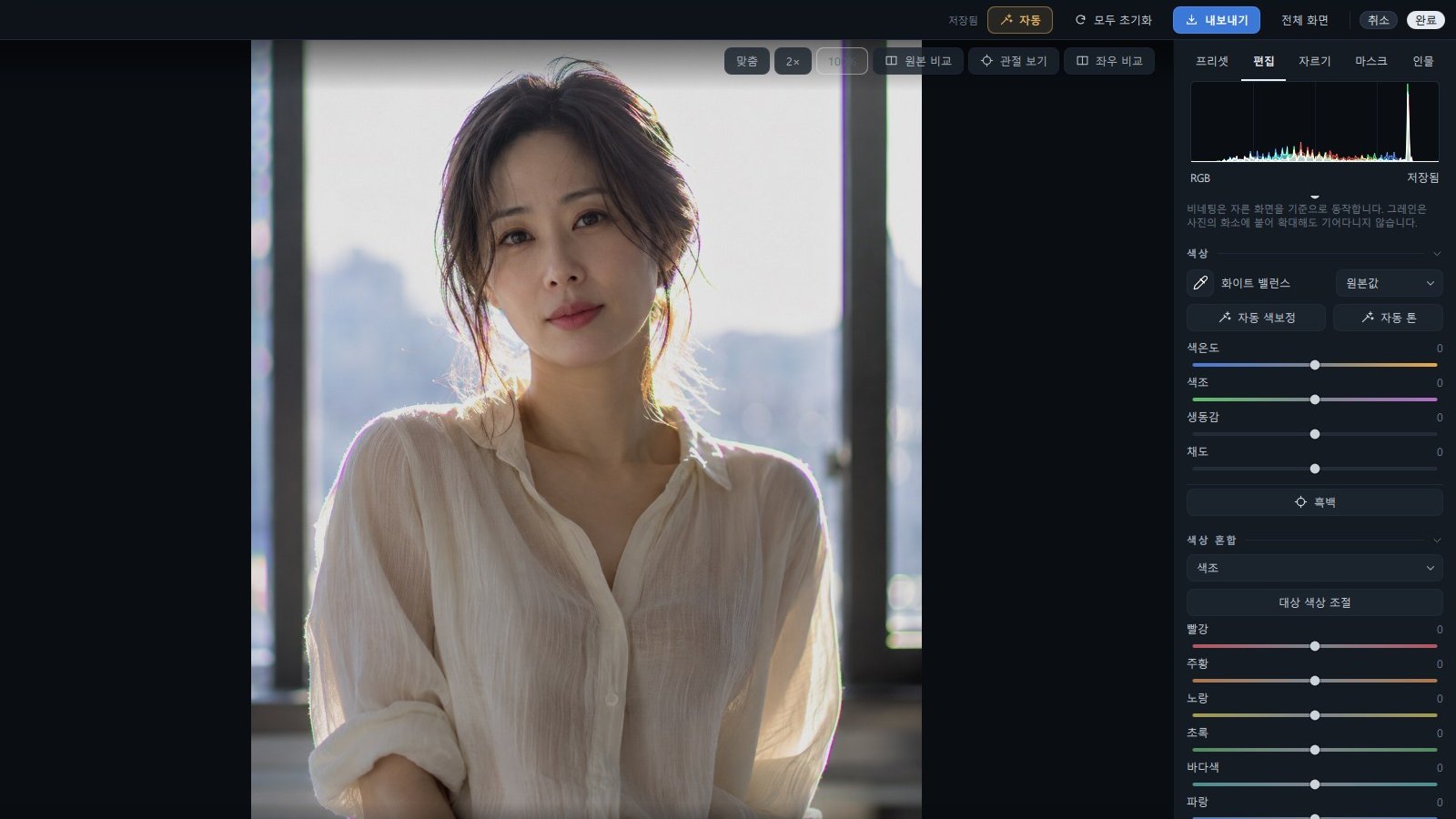
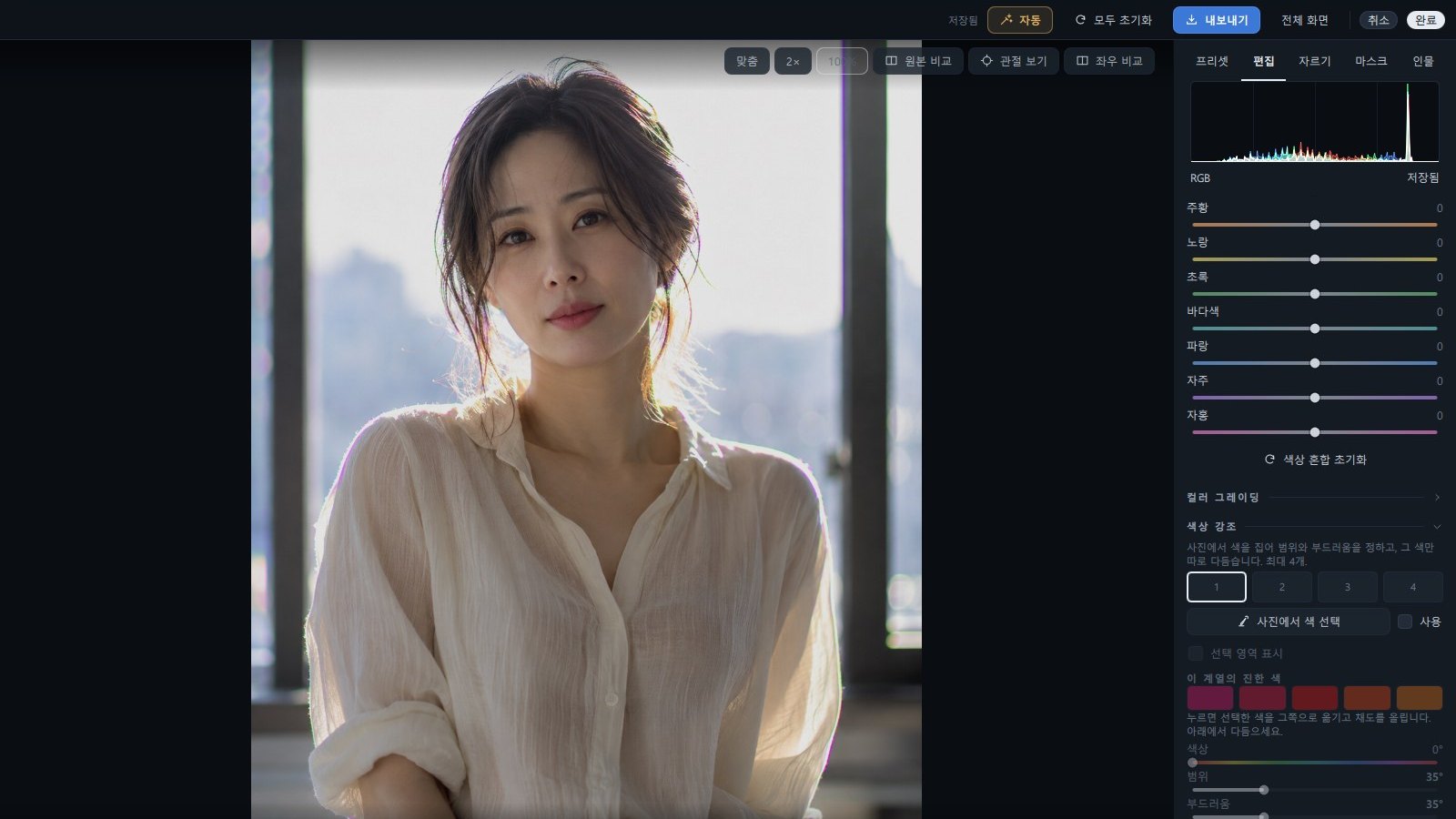
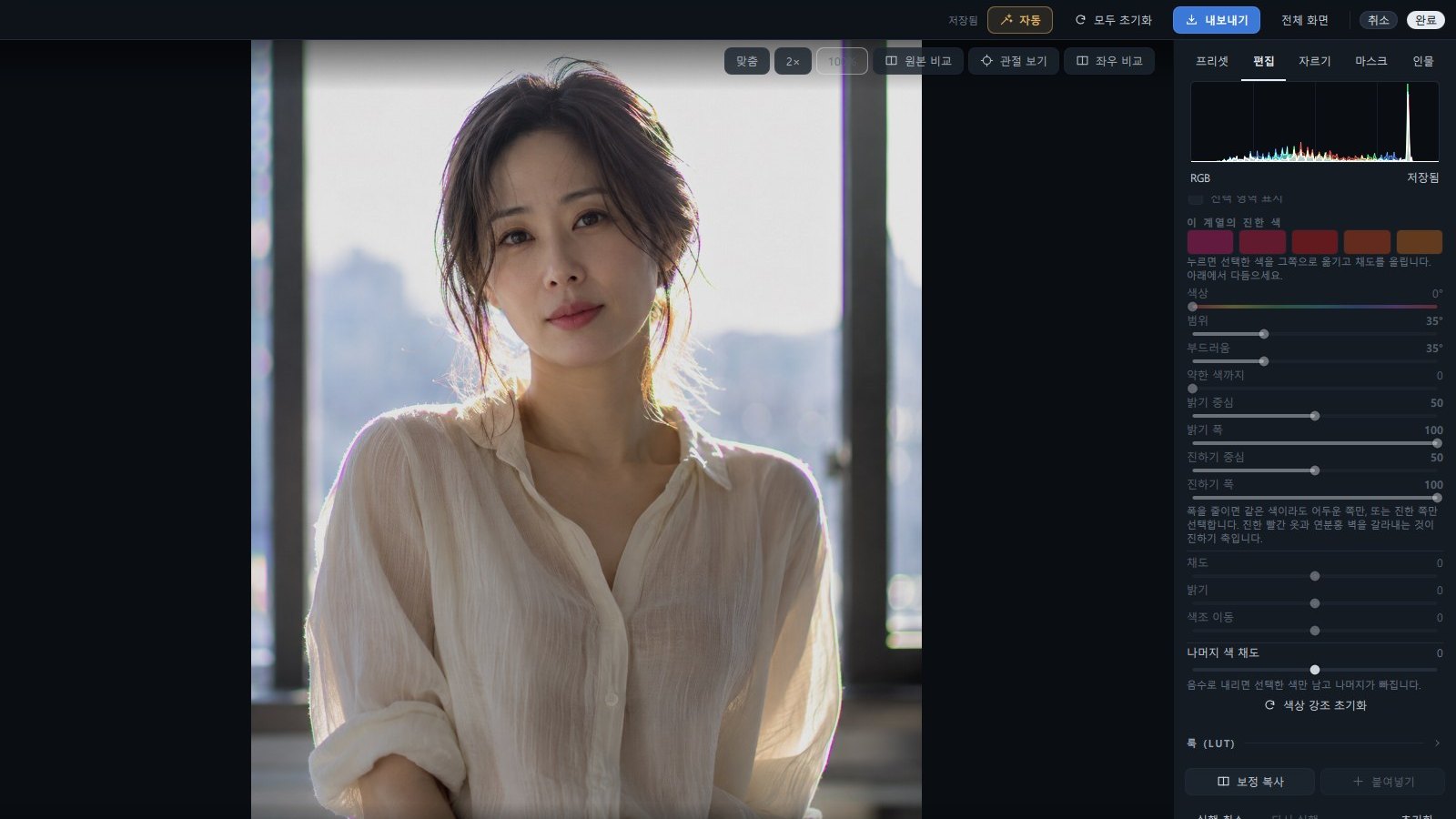
Refine with curves, HSL, color grading, LUT, blending, and masks at a professional level, and set the mood fast with 35 presets (including 15 Japanese-mood). AI skin retouch and magic-select masks touch up just the area you choose.
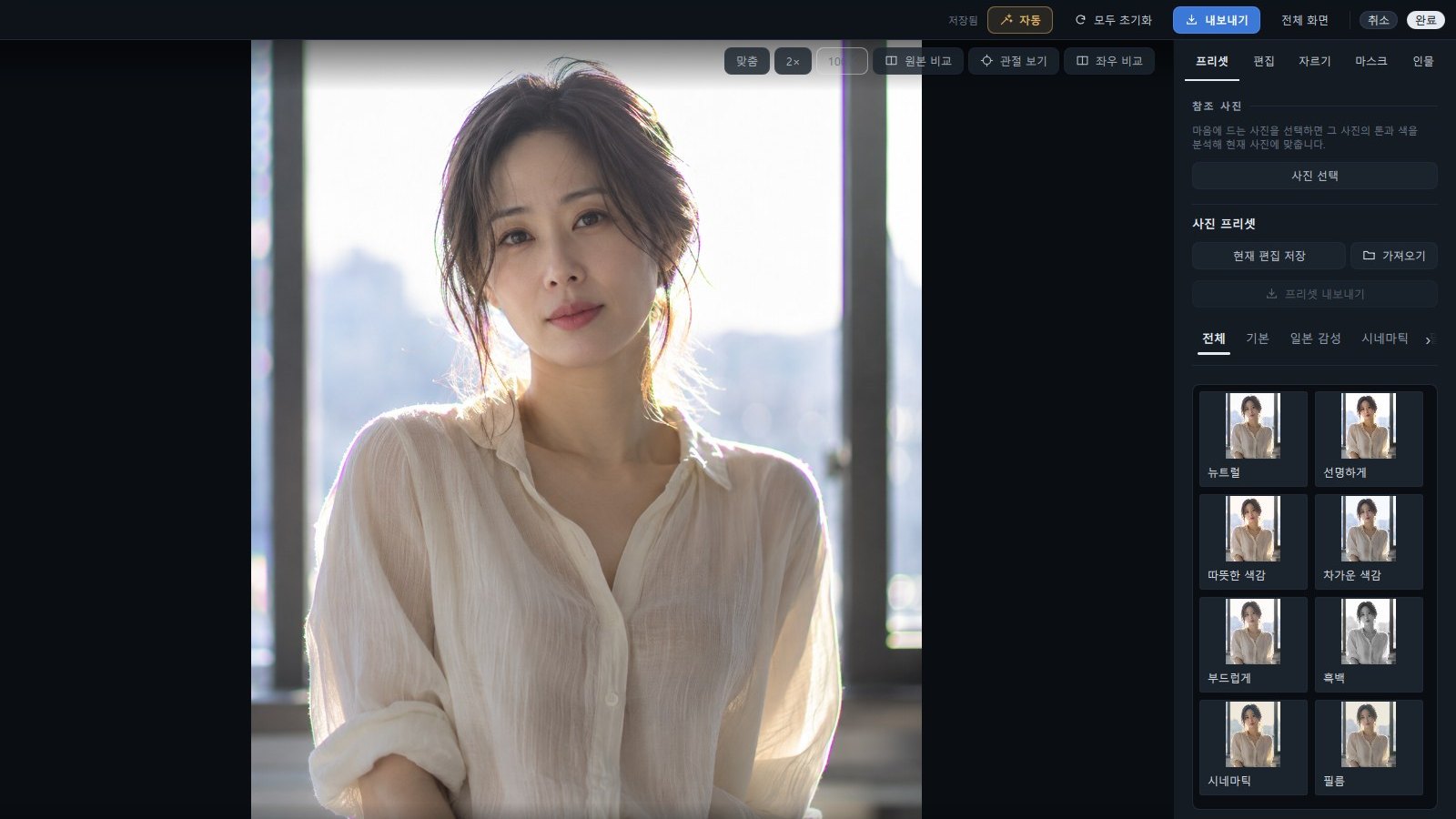
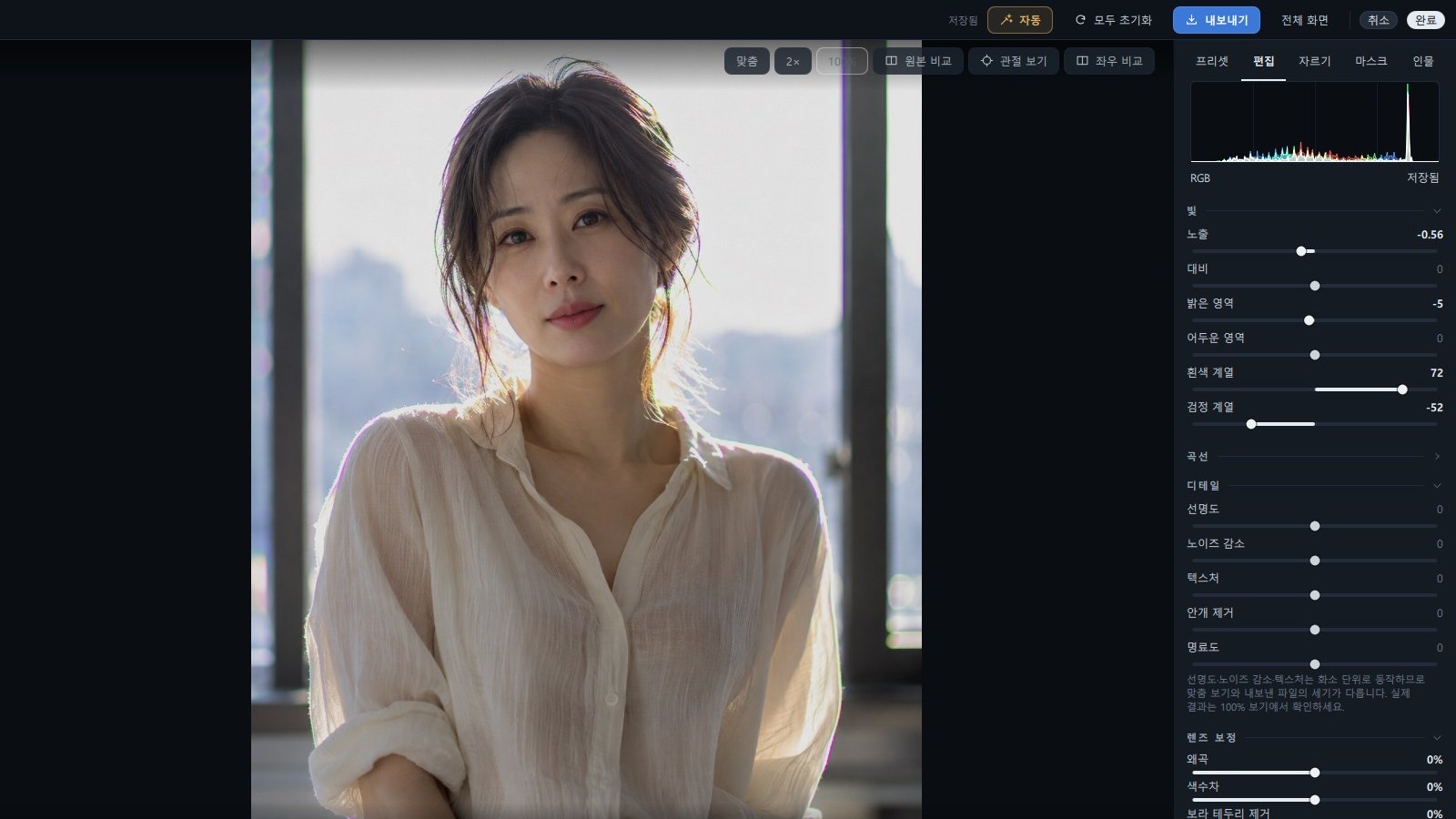
Pick a preset from previews of your own photo
Light and curves — fine control of exposure, contrast, highlights and shadows
Detail and lens correction — sharpening, noise, distortion, chromatic aberration and fringing
Color — white balance, auto color, saturation and vibrance
Color mixer and color grading for the look you want
Color targeting and LUT looks
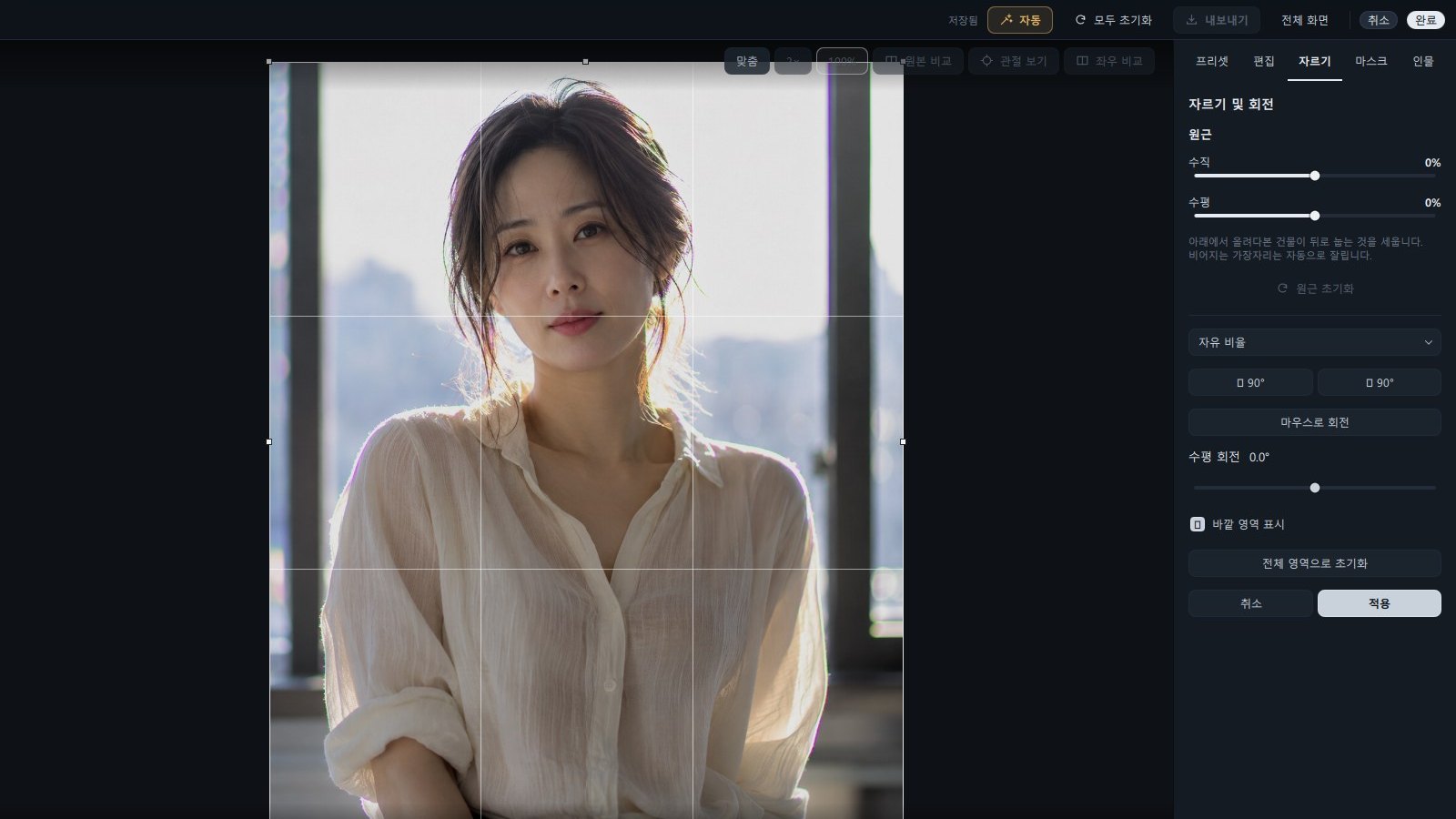
Crop, straighten, rotate and aspect ratio
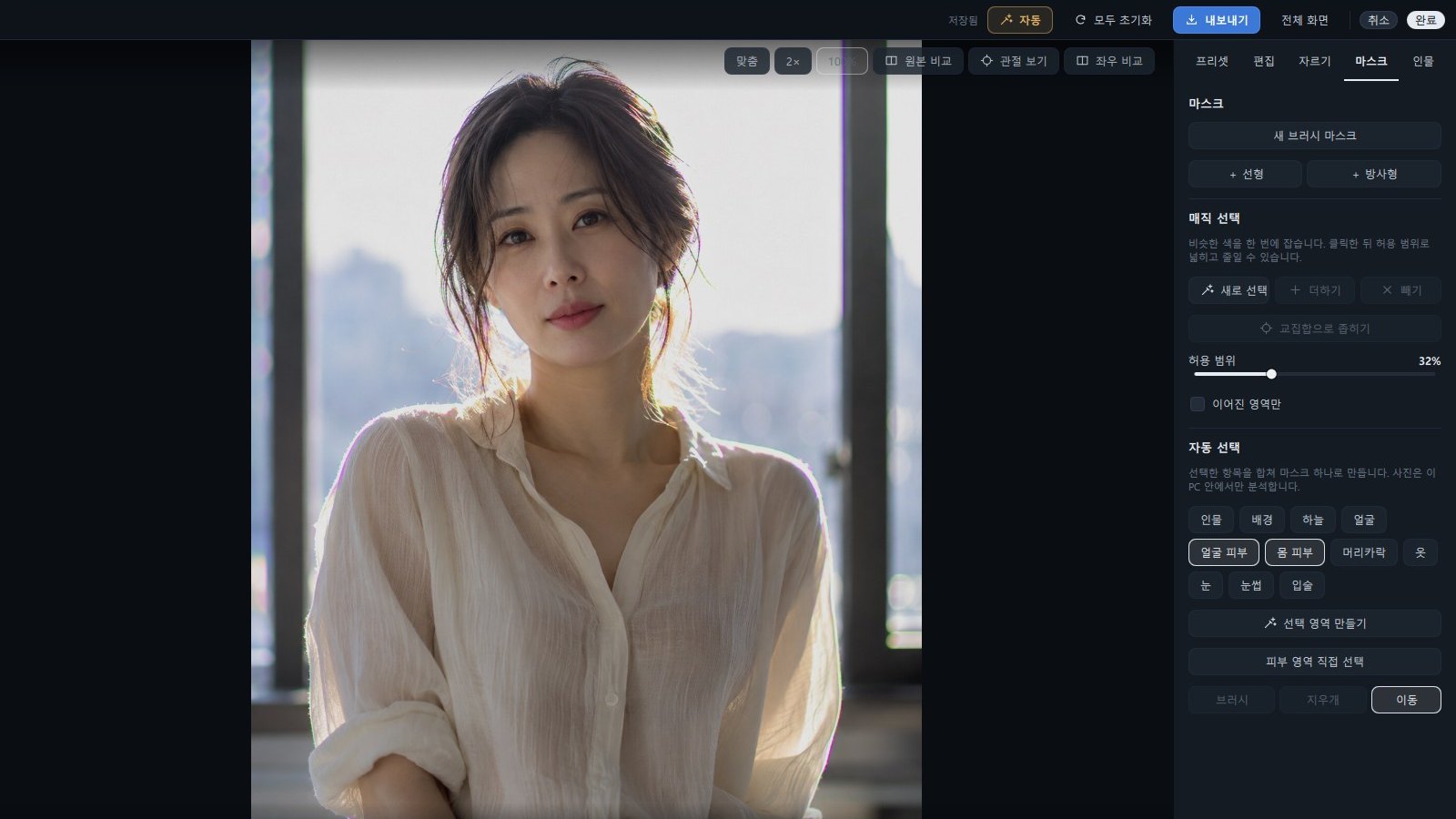
Masks — brush, linear, radial and automatic subject, sky and skin selection

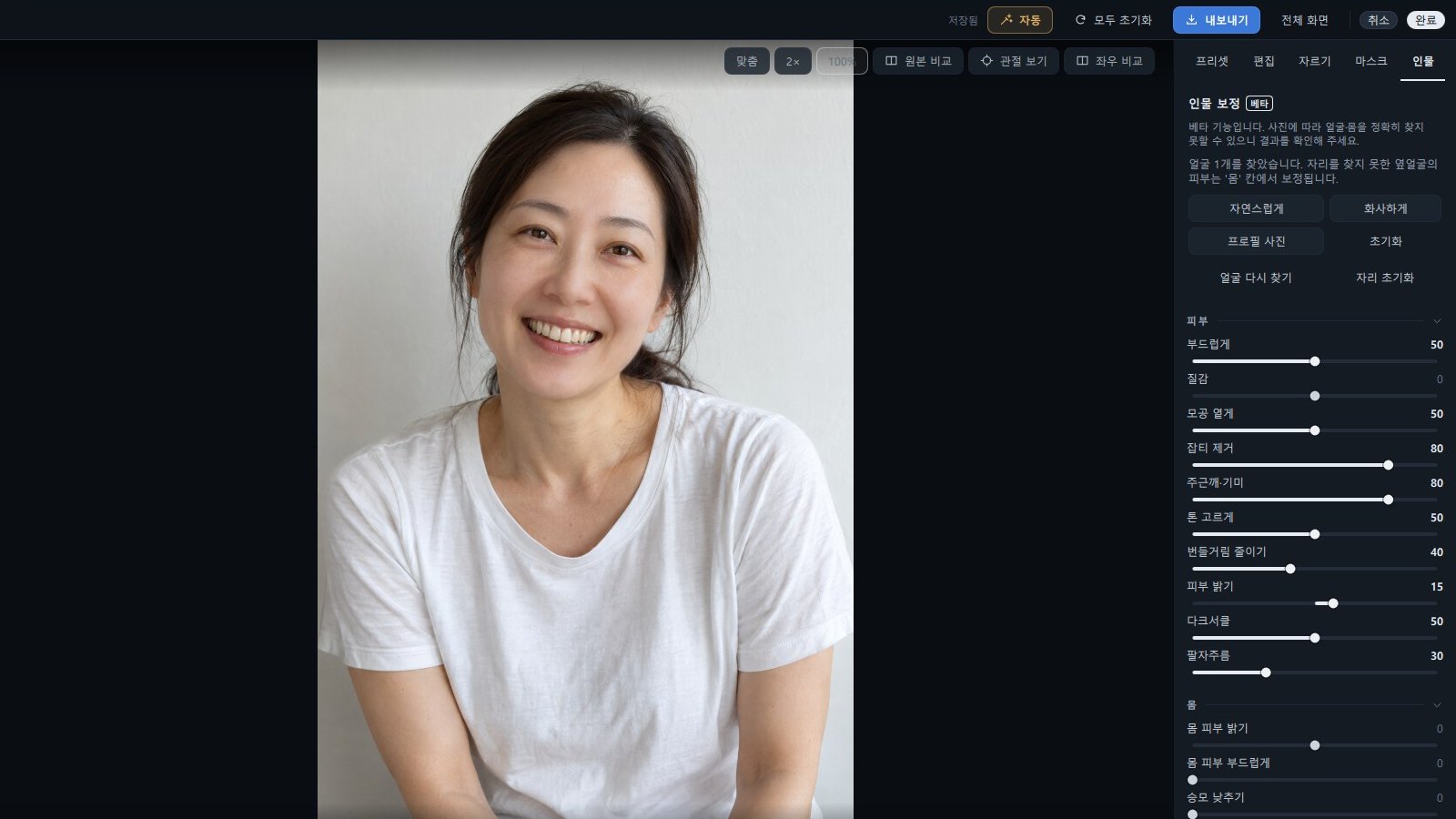
Portrait retouching (beta)

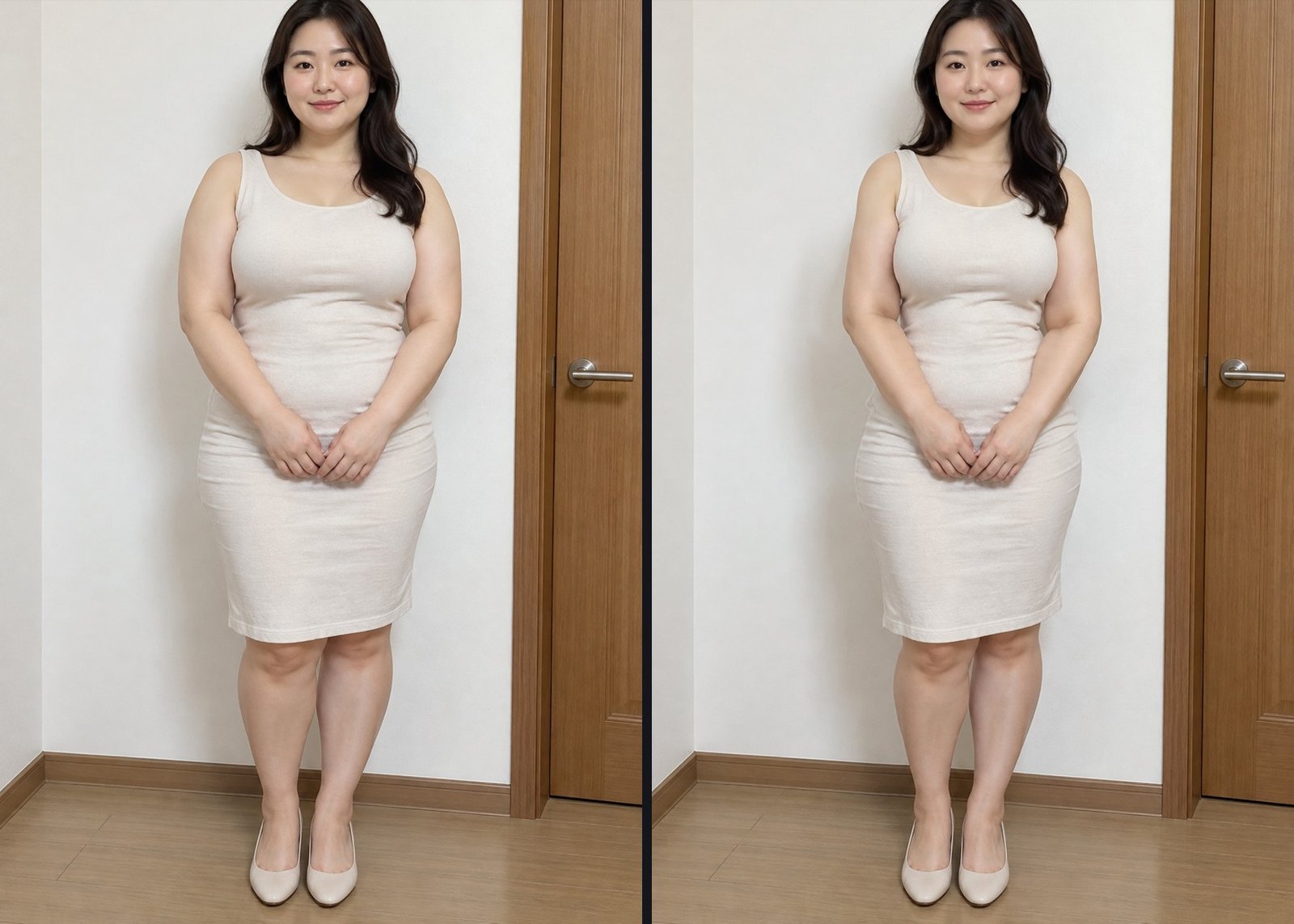
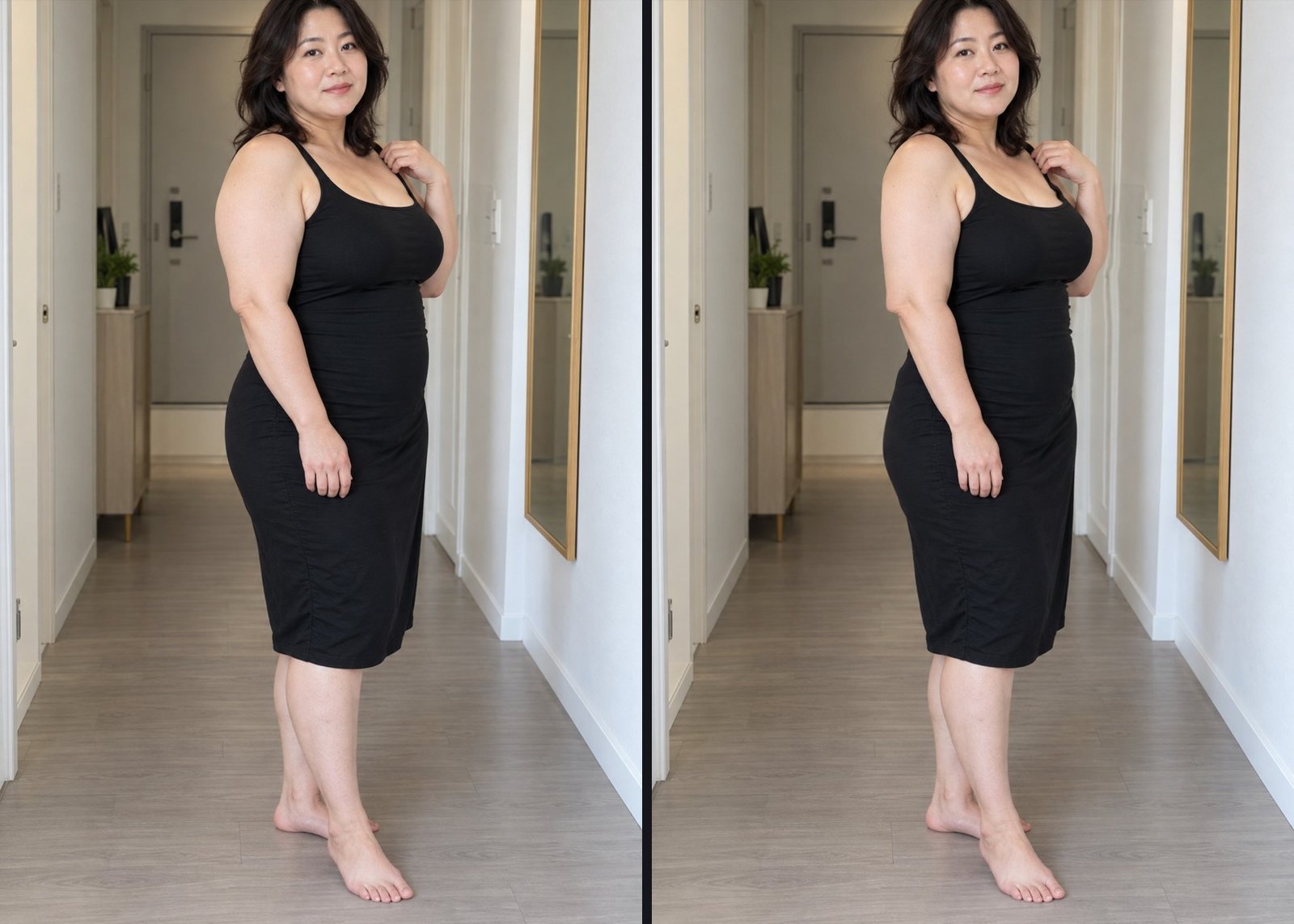
Natural results for faces and bodies alike. Refine skin, eyes, mouth, makeup, face shape and figure in one place.

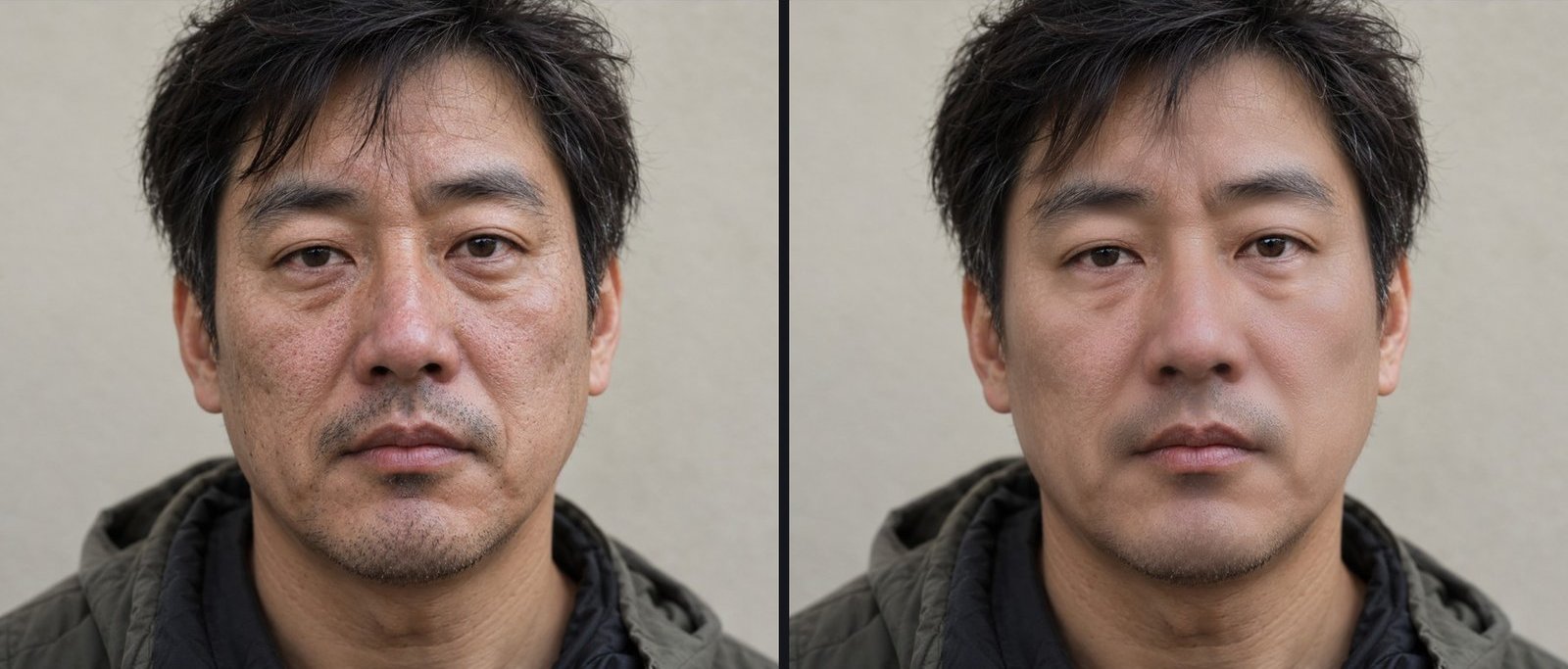
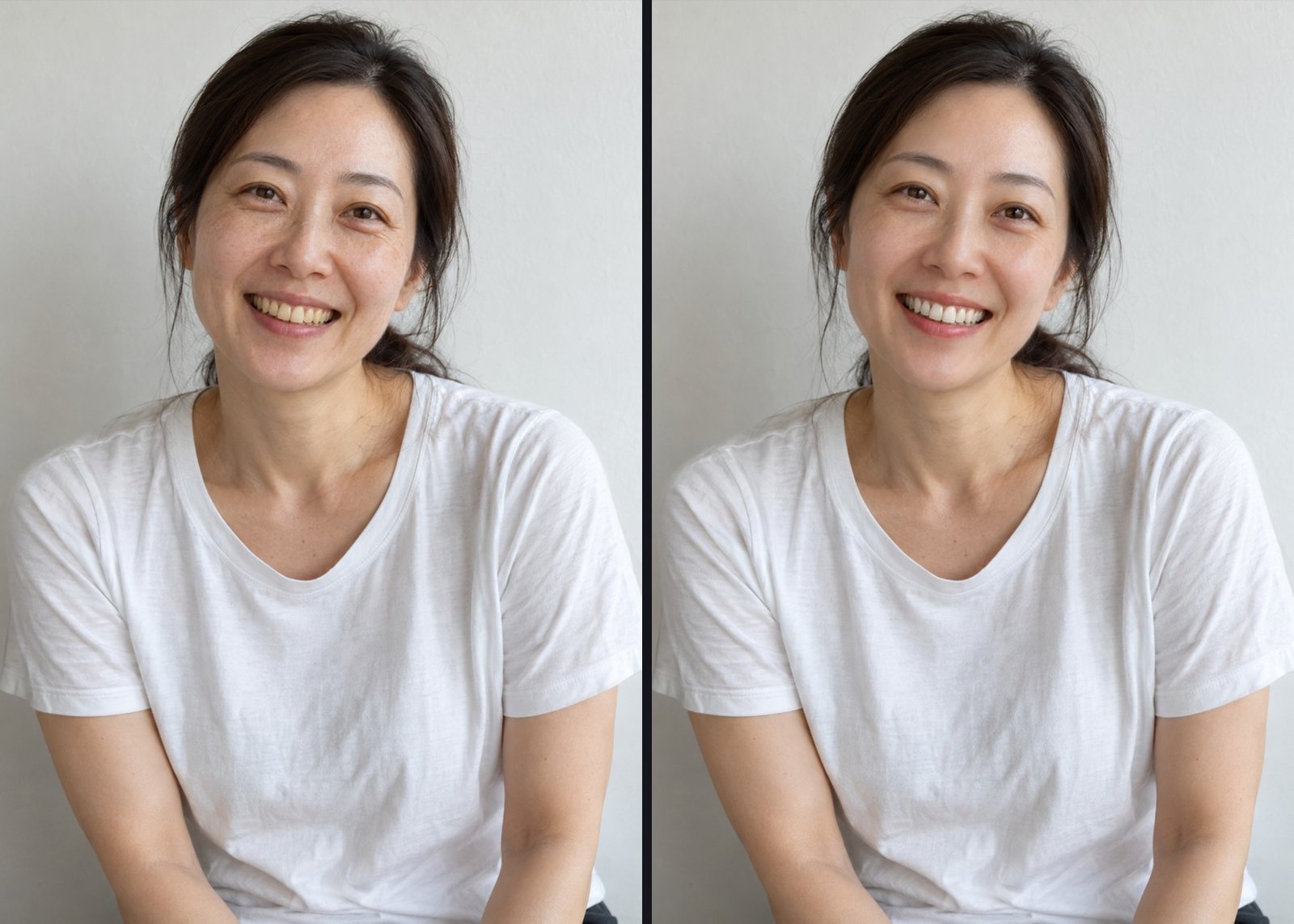
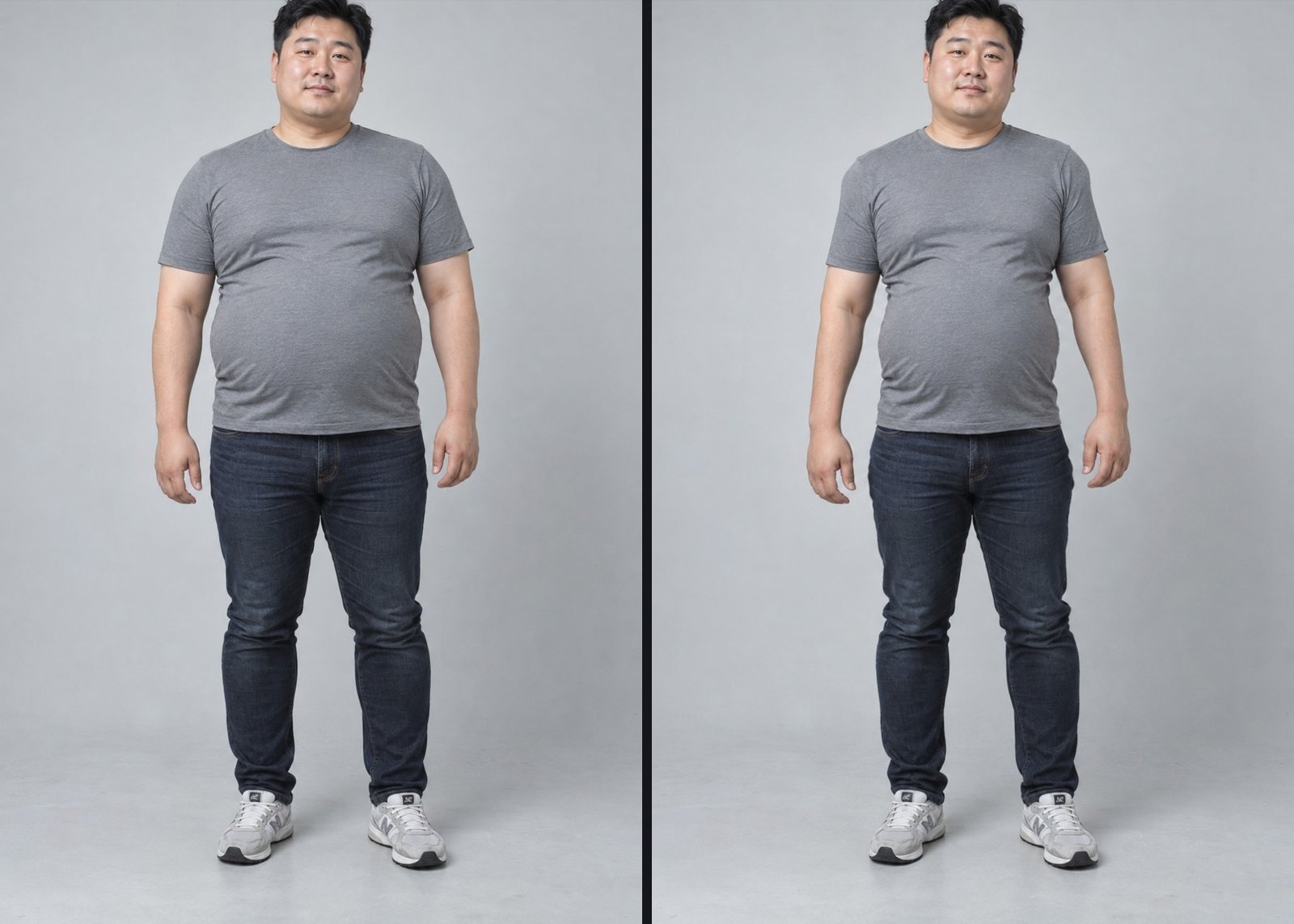
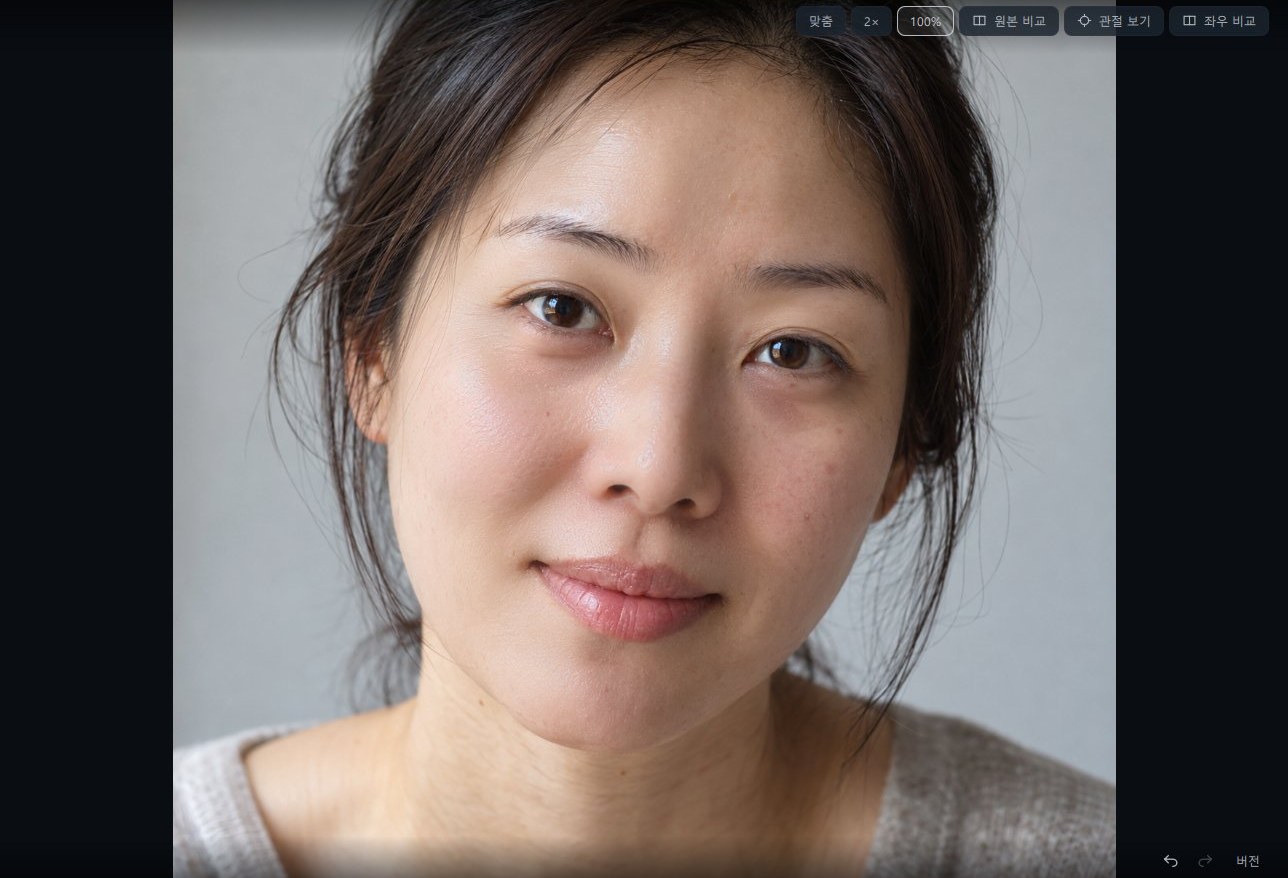
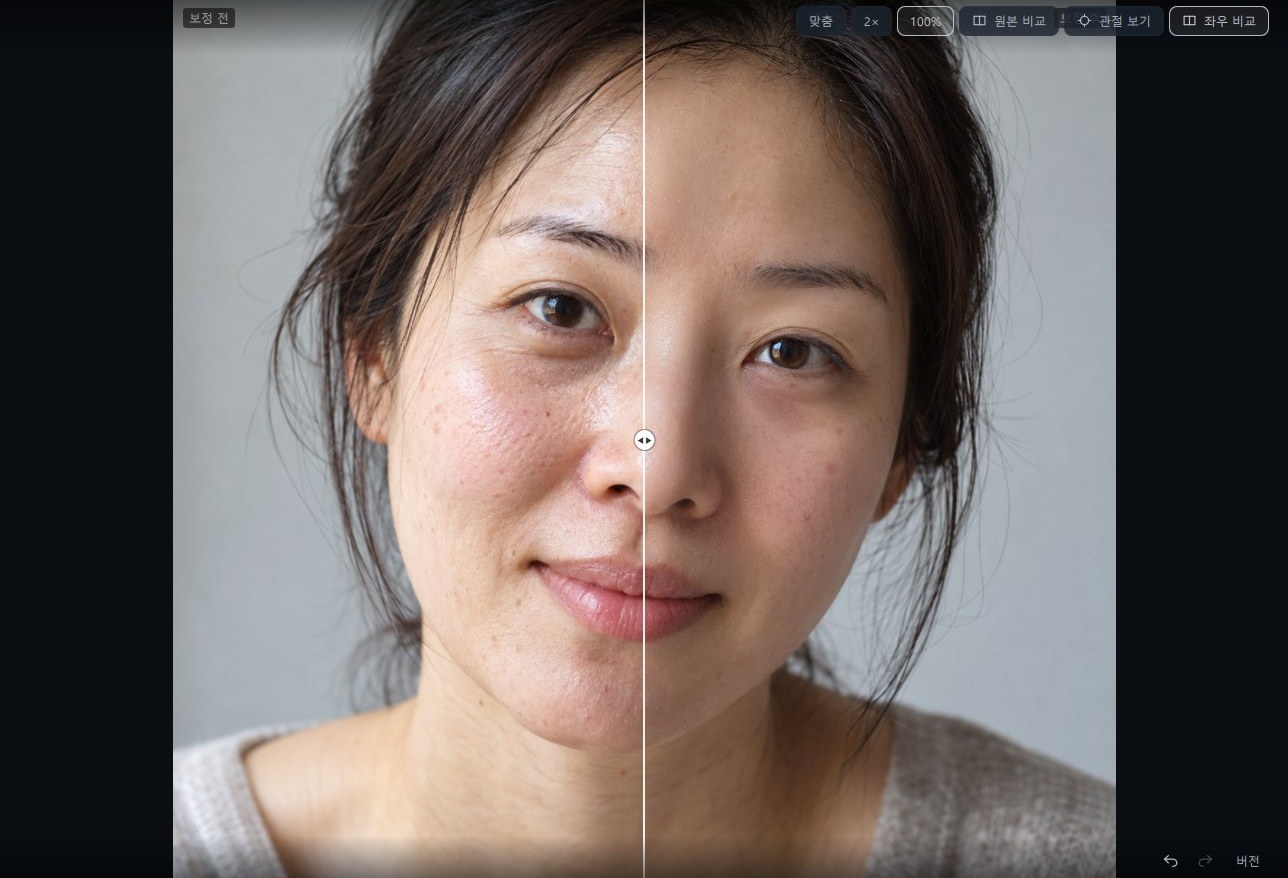
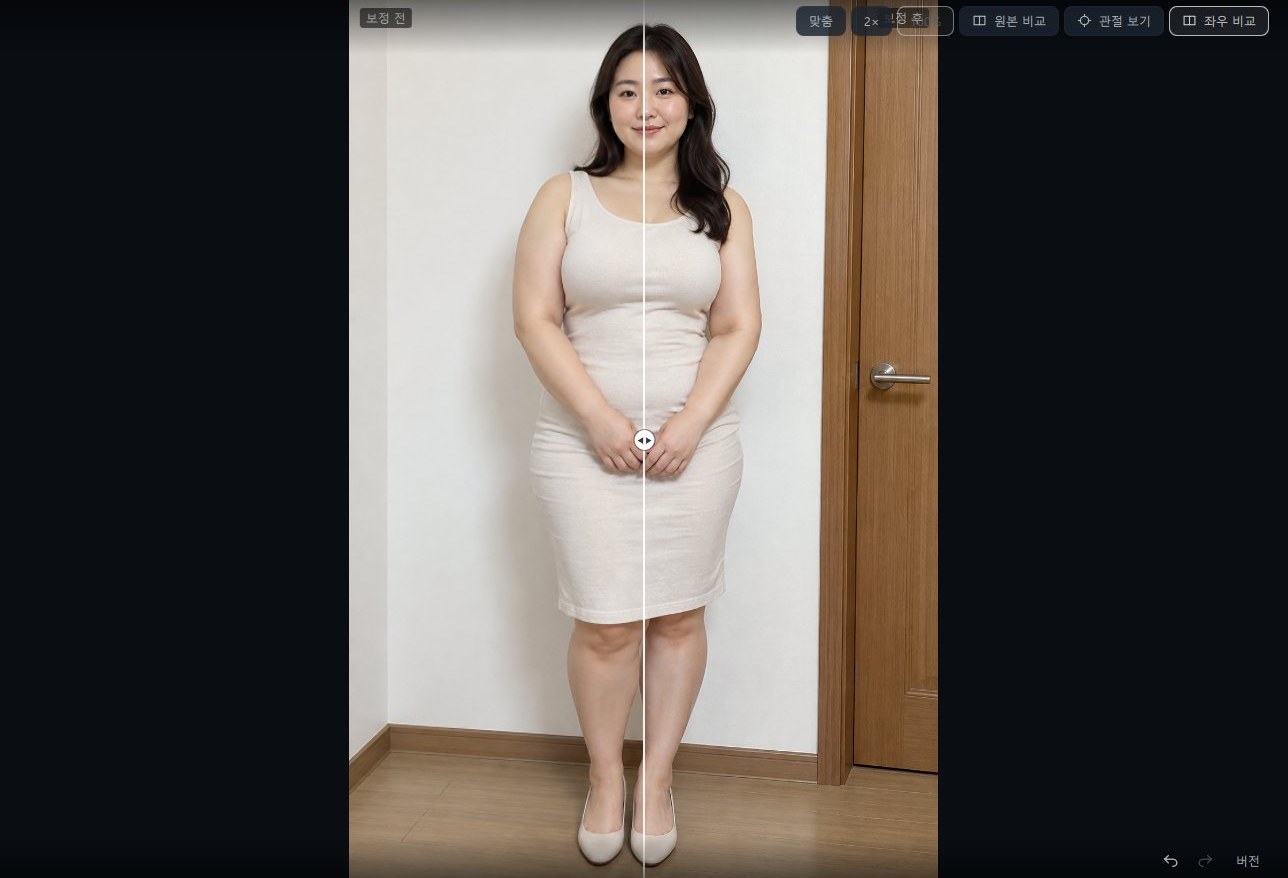
The left (before) is an AI-generated person; the right (after) is that same photo actually edited with photoKam Radar's portrait retouching.
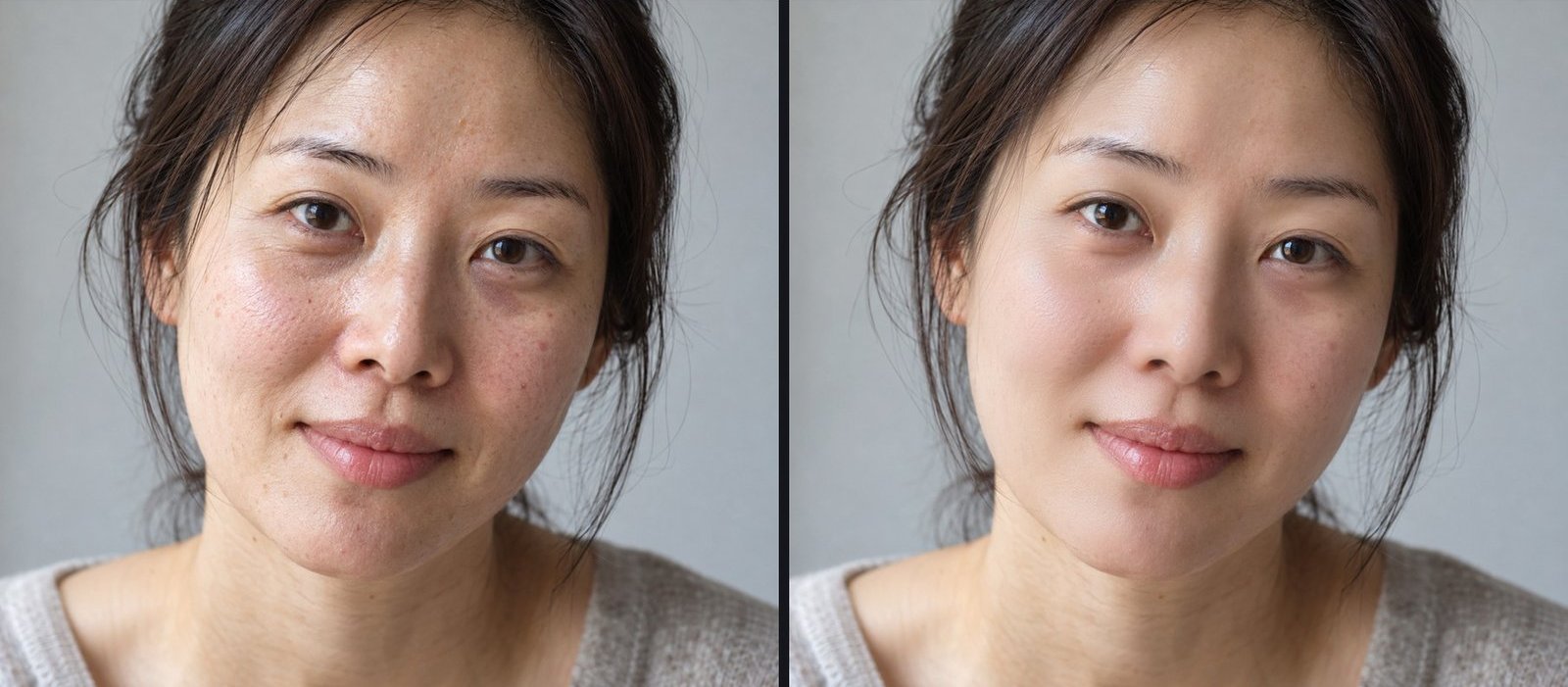
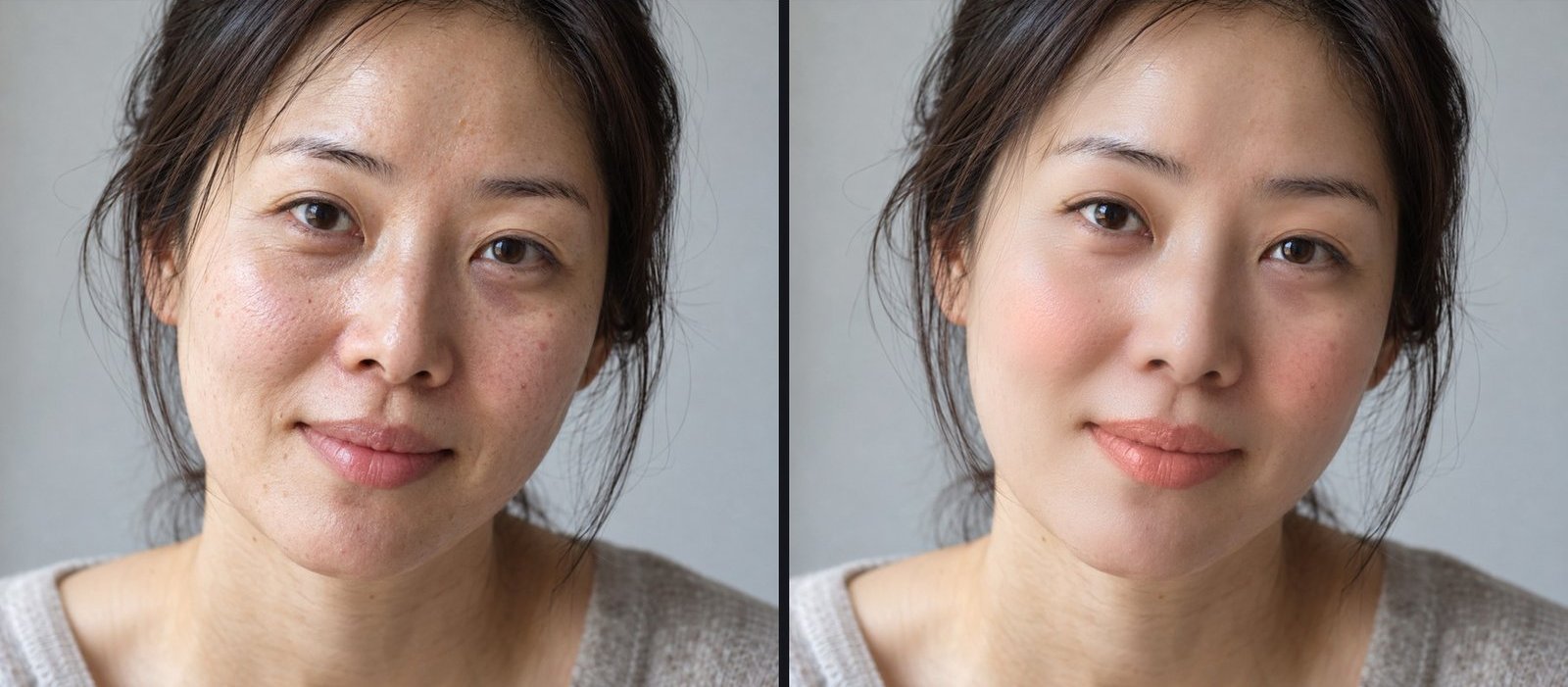
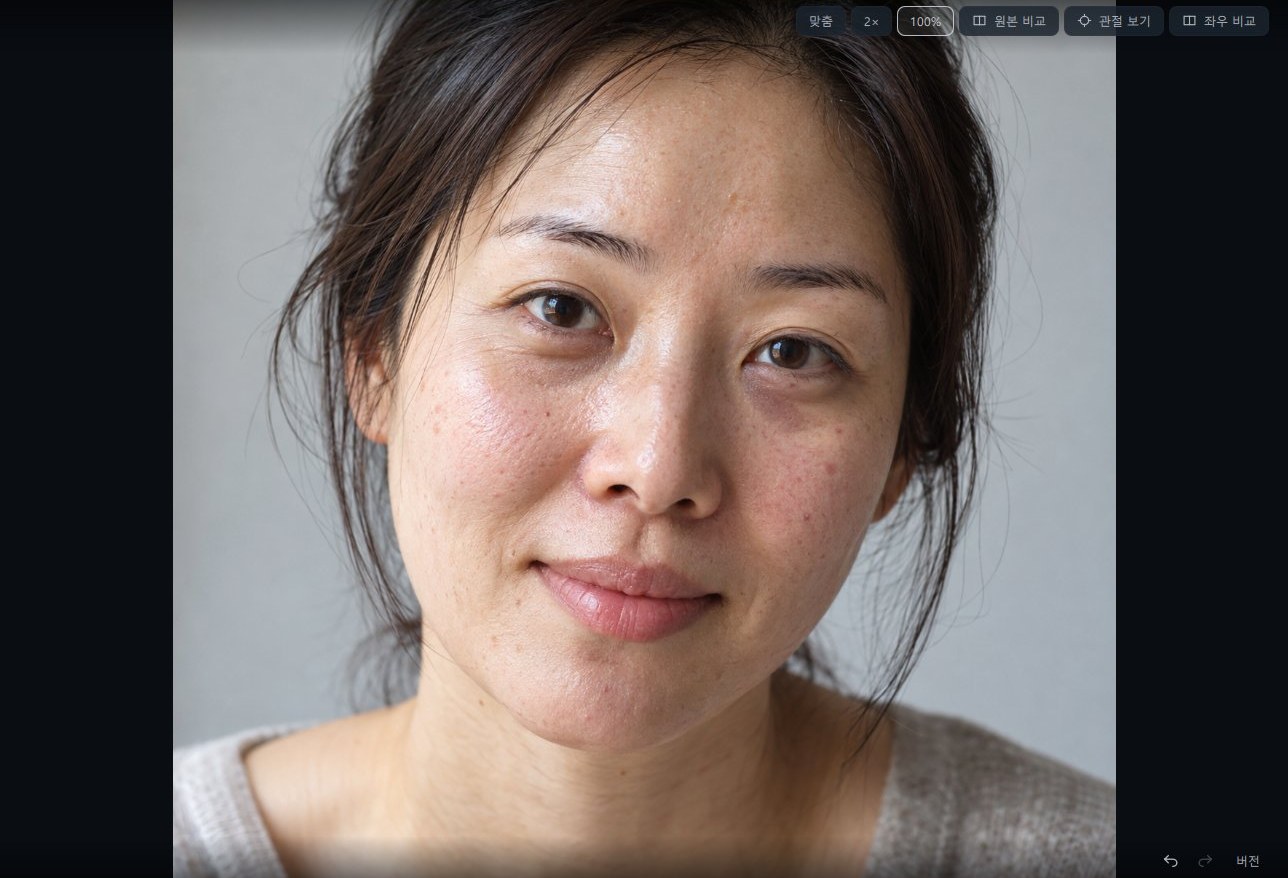
Blemishes, pores, dark circles and shine cleaned up naturally
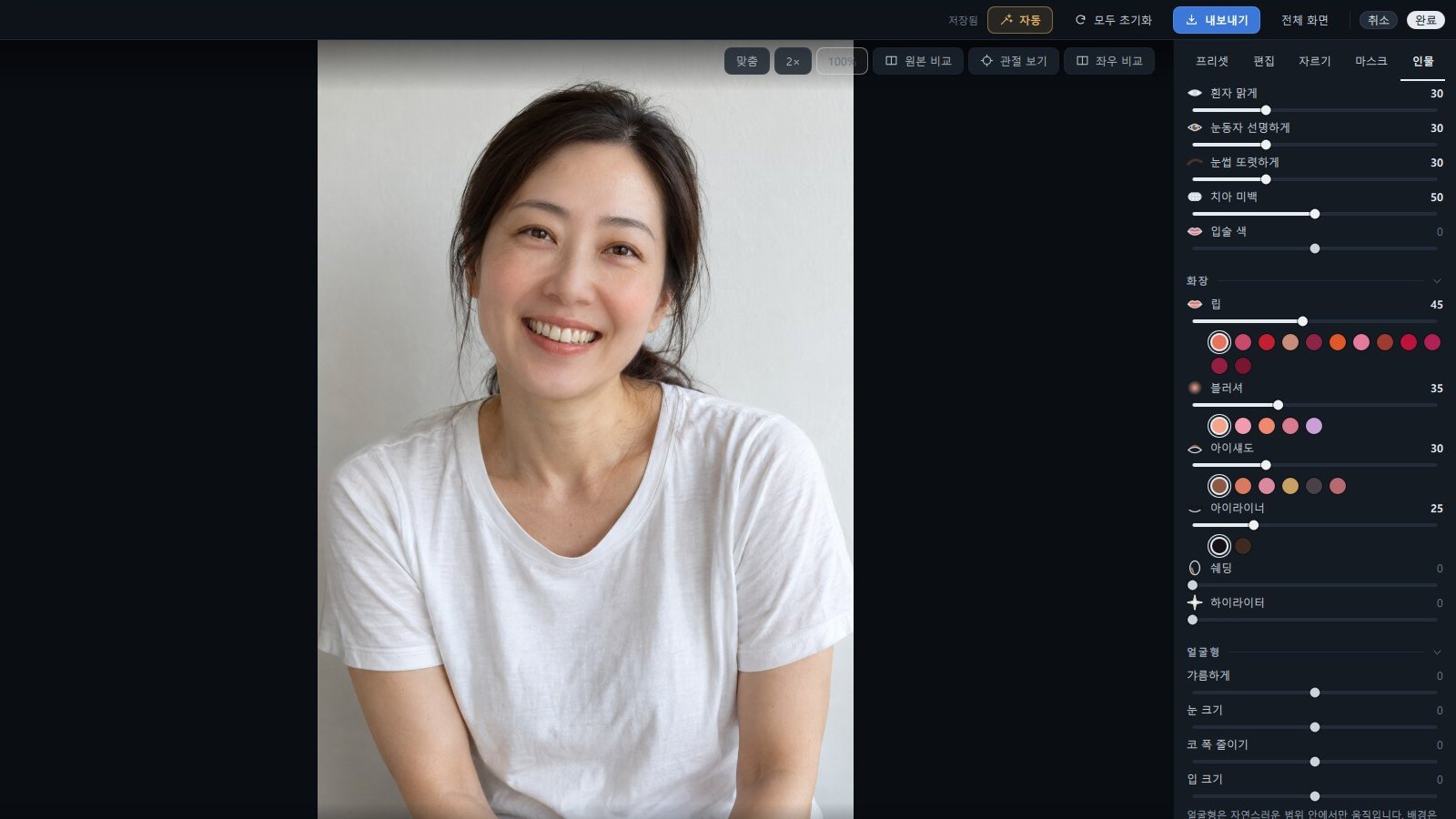
Lip, blush and eye shadow with your choice of color and strength
Natural skin retouching for men, too
Whiter teeth, clearer eyes, a slimmer face
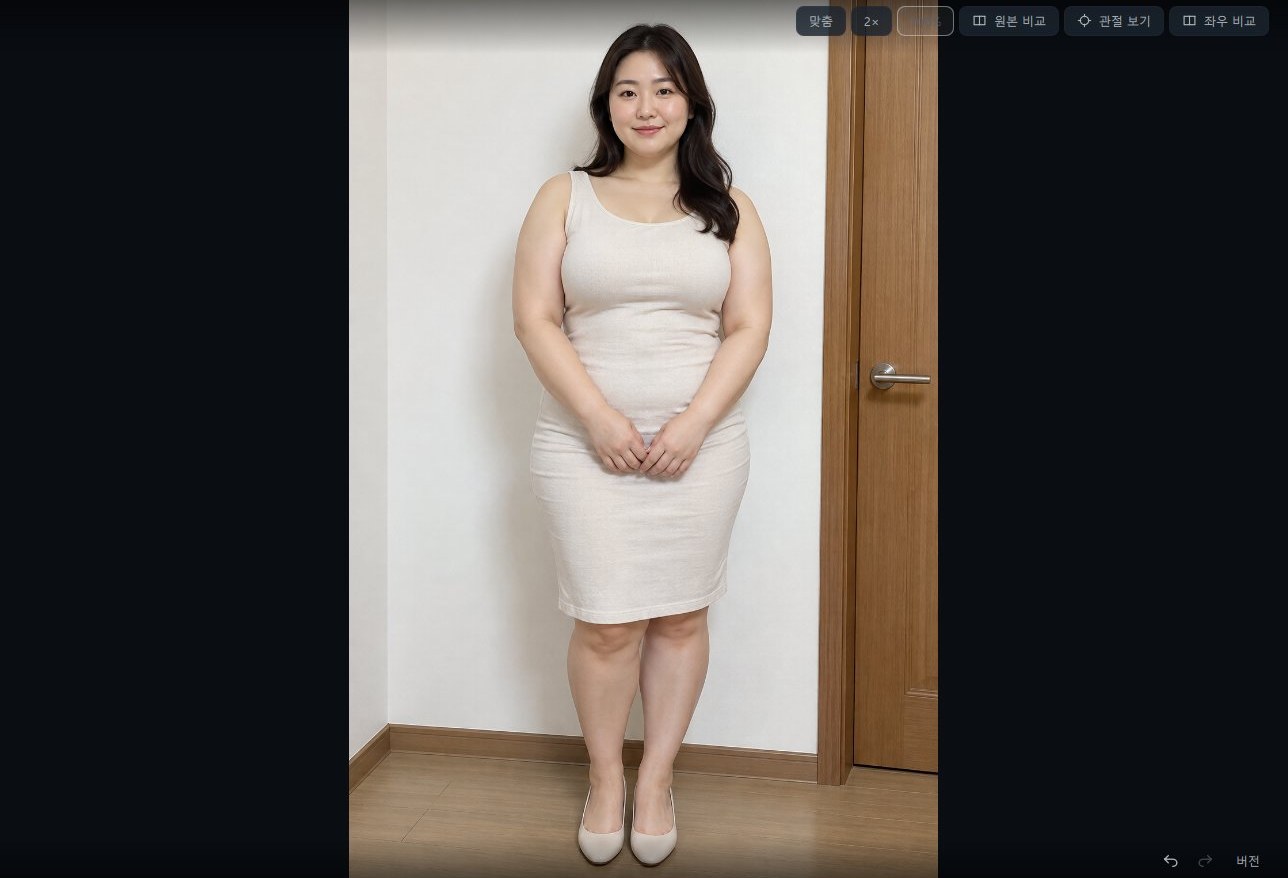
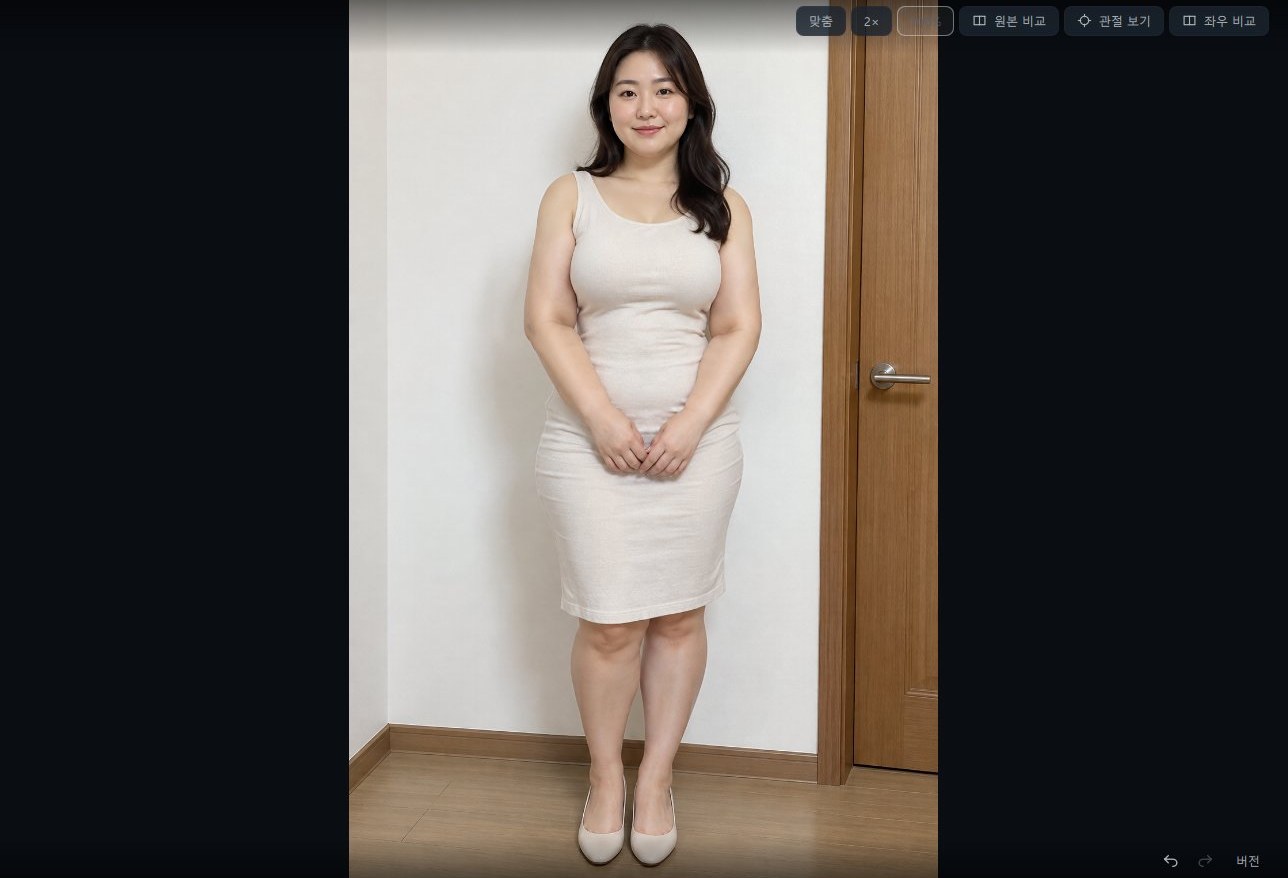
One "Body width" slider slims the whole figure naturally
Natural results even when the body is angled or turned away
Body width and waist for men, too

How it works

Before face retouching
After face retouching
Check instantly with the side-by-side view
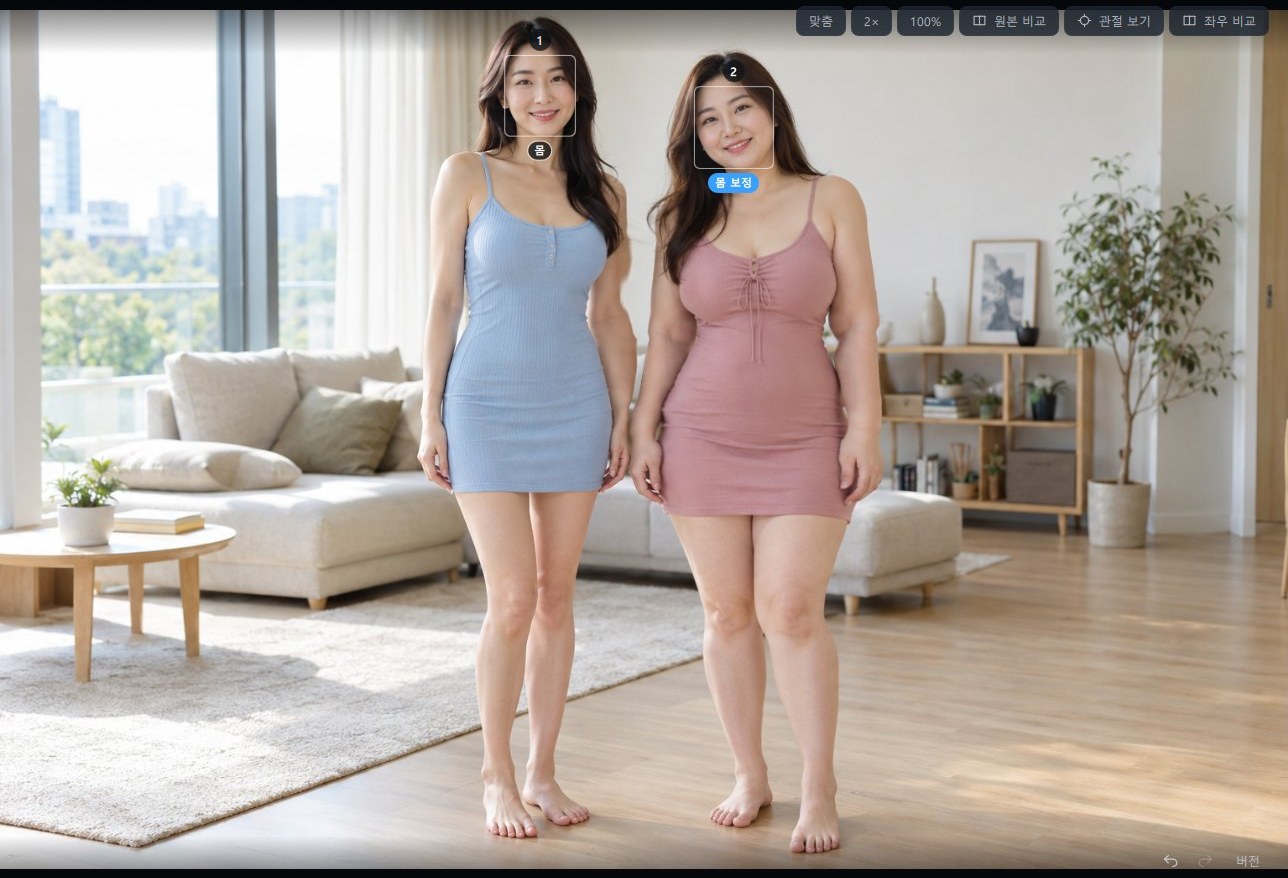
Before body retouching
After body retouching
Body retouching, side by side
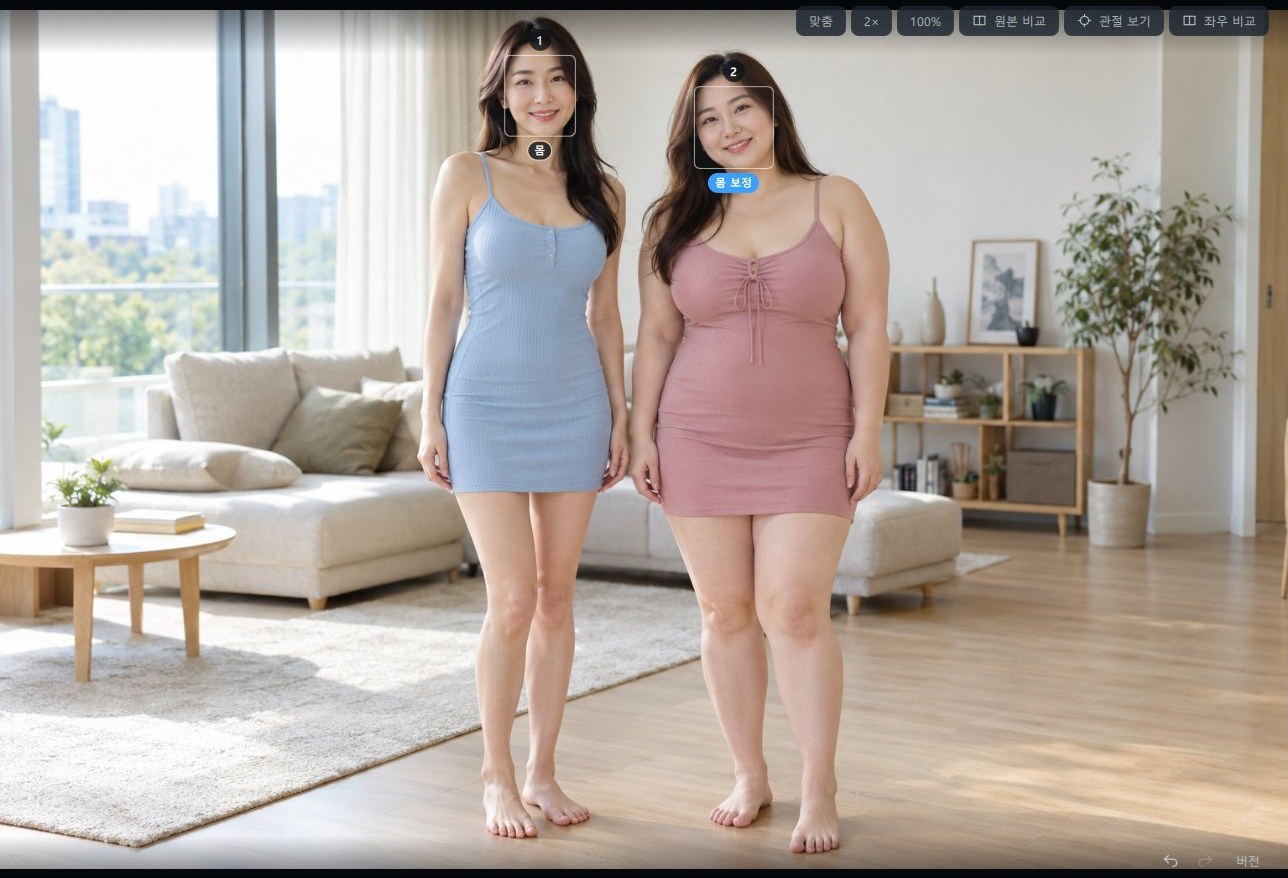
A photo with several people
Pick who to retouch (only the person on the right)
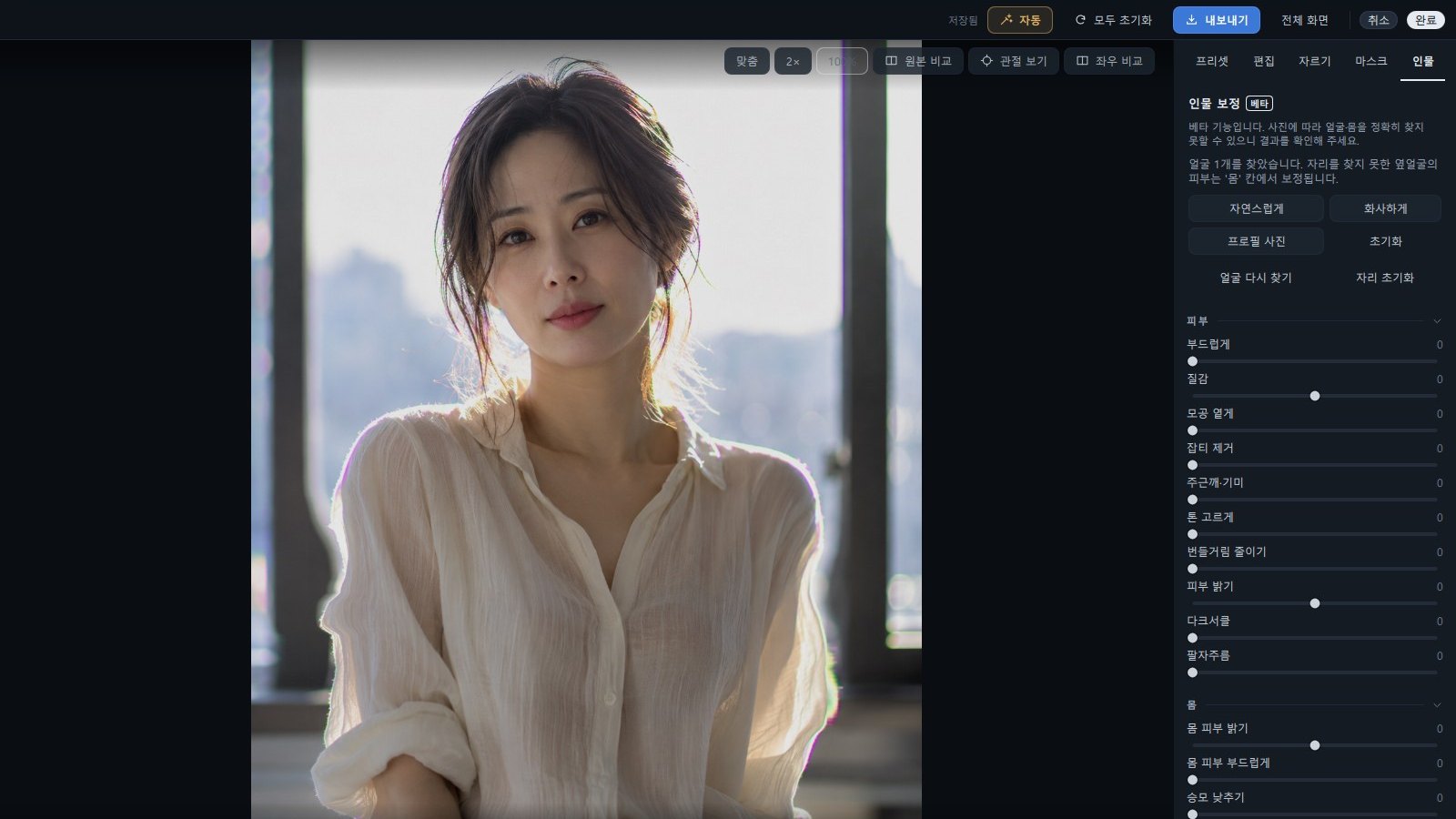
Portrait retouching — one-click looks plus fine controls
Skin, blemishes, freckles and dark circles, naturally
Lip, blush and eye shadow by color and strength

Portrait retouching is in beta and currently available in the Windows version; body retouching becomes available after downloading the optional add-on model (about 0.86 GB) from the Portrait tab.

Export

JPEG/PNG, sRGB·P3·AdobeRGB color spaces, size and quality control, and save straight to a chosen folder — in one step.


Free vs. licensed

photoKam Radar is free with every feature. Browsing, culling, large view, editing, AI skin retouch, and presets are identical in the free and licensed versions. The only difference is a watermark.

ItemFreeLicensed
All features (browse, edit, AI, presets)AvailableAvailable
Watermark on edit view & exported photosDiagonal watermarkNo watermark

The free version adds a faint diagonal watermark to the edit preview and exported photos. Register a license and it is gone.


Buying & registering a license

Copy the activation code from the app and email it to exapeak@naver.com; we issue your license. Paste it into the app or open it as a file. Each license is for use on one computer, with no expiry.


Privacy

Photos, index, and edit settings all stay on your computer, and AI runs entirely on your machine. The app uses the internet only to load map tiles and to check and download updates (version info only); it never sends your photos or index.


System requirements

  • OS: Windows 10 / 11 (64-bit); macOS 13.3 or later (Apple Silicon, M1 or newer)
  • RAW conversion and AI models are built in — nothing extra to install

FAQ

Are my original photos changed?

Indexing and editing don't change your originals; edits are saved as new files via Export. The one exception is Rotate in large view, which writes to the original when you use it (EXIF preserved).

What's the difference between free and licensed?

The features are the same. The free version shows a watermark; the licensed version has none.

Can I use it on another computer?

One license covers one computer. To use it on another computer, please purchase a new license.

Are my photos sent anywhere?

No. All processing happens locally.

Key Features

Whole-drive auto-indexing (no folders to add)Grid, custom tiles, and list viewsCamera / lens / date / folder filters + calendar jumpRAW support (CR2·CR3·ARW·NEF·DNG) · RAW+JPG pairingLarge view (histogram, overexposure warning, focus point on supported cameras)pro-grade RAW editing (curves, HSL, color grading, LUT)35 presets (15 Japanese-mood)AI skin retouch · magic-select masksExport (JPEG/PNG · sRGB·P3·AdobeRGB · size · quality · save to folder)Originals untouched · all processing local (no photo upload)

Release Notes

Version history and downloads per OS.

v1.0.190 Windows x64 LATEST
2026-10-14
  • • Reduce / cover gray hair, gray hair spread
  • • Fill hairline roots, adjust fill line
  • • More accurate portrait retouch areas
  • • More accurate "Person" mask
  • • Larger rating, flag and play marks
  • • Editor zoom up to 16×, faster zooming
v1.0.156 Windows x64
2026-10-11
  • • Fixed Neck lines also changing clothing
  • • Fixed photos not showing when using the folder filter and folder tree together
  • • Deleted photos are removed from the list right away
  • • Empty thumbnails are repaired automatically
  • • Improved responsiveness while photos are being organized
v1.0.153 Windows x64
2026-10-10
  • Fixed photos opening blurry and slowly in full view
v1.0.156 macOS (Apple Silicon) LATEST
2026-10-11
  • • 목주름 보정이 옷까지 바뀌던 문제 수정
  • • 폴더 필터와 폴더 트리를 함께 쓸 때 사진이 안 보이던 문제 수정
  • • 지워진 사진을 목록에서 바로 제외
  • • 비어 있던 썸네일 자동 복구
  • • 사진 정리 중 화면이 느려지던 문제 개선
v1.0.153 macOS (Apple Silicon)
2026-10-10
  • • 세로로 찍은 사진이 크게 보기에서 작게 보이던 문제 수정
v1.0.152 macOS (Apple Silicon)
2026-10-10
  • • 얼굴 세부 보정 7가지 추가
  • • 눈 크기 보정 개선
  • • 미간 주름·옷 주름 보정
  • • 마스크에서 옷 주름 조절
  • • 얼굴 마스크·피부 보정 정확도 향상
  • • 선명도·노이즈 세부 조절 추가
  • • 노이즈 감소 세기 강화
  • • RAW 「JPG 스타일」 버튼
  • • 자동 보정 다시 누르면 되돌리기
  • • 편집 메뉴 바로가기
  • • 좌우 비교에 원본·보정 표시
  • • 슬라이더·곡선 조작 개선
  • • 크게 보기 확대·축소 빠르게
  • • 크게 보기를 더 빠르고 가볍게
  • • 아주 큰 사진도 크게 보기에서 확대
  • • 고른 카메라·렌즈 칩 표시
  • • 동영상 재생 중 휠로 볼륨 조절
  • • 일부 동영상이 재생 중 꺼지던 문제 수정
  • • 제외 폴더 바로 숨기기·해제
  • • 제외를 푼 폴더가 목록에 바로 돌아오게
  • • 드라이브를 켜고 끌 때 폴더 트리 바로 반영

Send Feedback · Report a Bug

Tell us about any issues or features you would like for photoKam Radar - Photo Manager & Editor for Windows & macOS. It goes straight to the dev team.